
Last updated on
Oct 31, 2026

FL Notice of Commencement - Bonita Springs 2016-2026 free printable template
pdfFiller is not affiliated with any government organization

Fill out
Complete the form online in a simple drag-and-drop editor.

eSign
Add your legally binding signature or send the form for signing.

Share
Share the form via a link, letting anyone fill it out from any device.

Export
Download, print, email, or move the form to your cloud storage.
Why pdfFiller is the best tool for your documents and forms


End-to-end document management
From editing and signing to collaboration and tracking, pdfFiller has everything you need to get your documents done quickly and efficiently.
Accessible from anywhere
pdfFiller is fully cloud-based. This means you can edit, sign, and share documents from anywhere using your computer, smartphone, or tablet.
Secure and compliant
pdfFiller lets you securely manage documents following global laws like ESIGN, CCPA, and GDPR. It's also HIPAA and SOC 2 compliant.
What is FL Notice of Commencement - Bonita Springs
The Florida Notice of Commencement is a legal document used by property owners to announce construction or improvement work on real property in Florida.
pdfFiller scores top ratings on review platforms




Who needs FL Notice of Commencement - Bonita Springs?
Explore how professionals across industries use pdfFiller.

FL Notice of Commencement - Bonita Springs is needed by:
-
Property Owners or Lessees completing construction work
-
Contractors involved in construction or improvement projects
-
Notaries Public for notarization requirements
-
Real estate attorneys advising clients on compliance
-
Title companies handling property transactions
Comprehensive Guide to FL Notice of Commencement - Bonita Springs
What is the Florida Notice of Commencement?
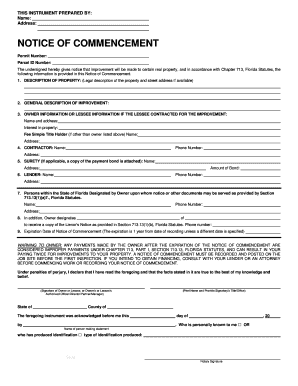
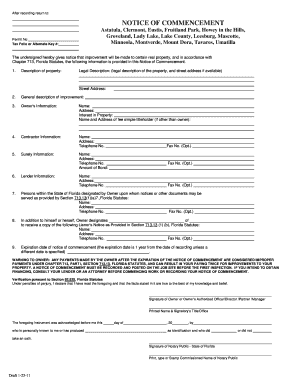
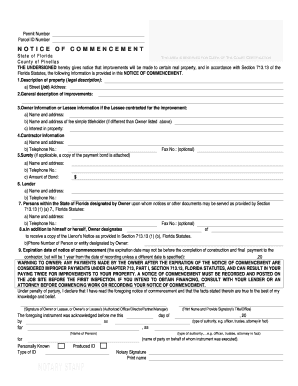
The Florida Notice of Commencement is a vital legal document utilized in construction projects across the state. Mandated by Chapter 713 of the Florida Statutes, this form serves to inform relevant parties about ongoing construction activities on real property. The form encompasses essential details, including the property description, owner's identity, and contractor specifications, ensuring a comprehensive record.
As a critical requirement, property owners, or lessees must ensure that the form is notarized and recorded before any construction work commences. This document aims to uphold transparency and provide legal protections to stakeholders involved in construction projects.
Purpose and Benefits of Filing the Florida Notice of Commencement
Filing the Florida Notice of Commencement offers numerous advantages for property owners, contractors, and subcontractors. This essential form provides legal protection against potential issues that may arise during construction. By filing, property owners and contractors can safeguard their interests and limit the risk of improper payments.
Furthermore, this filing enhances transparency by informing all parties involved, including subcontractors and suppliers, about the commencement of work. Such communication is crucial to keep all stakeholders aligned and mitigate potential conflicts.
Who Needs to File the Florida Notice of Commencement?
The responsibility for filing the Florida Notice of Commencement primarily falls on the property owner or lessee. In order to validate the document, both the owner or lessee and a Notary Public must provide their signatures. Contractors also carry significant responsibilities in ensuring that this document is correctly filed and recorded.
Filing the notice is particularly crucial in cases of new construction and renovations, as it serves as formal notification of the intended improvements or alterations on the property.
Key Features of the Florida Notice of Commencement
The Florida Notice of Commencement features a fillable form structure that includes various fields and checkboxes designed for clarity and efficiency. Key information required on the form encompasses the Owner Name, Contractor Name, Work Description, and other pertinent details.
Notarization and proper signatures are integral for the form's validity. This legal requirement helps ensure that the document is executed correctly, thereby enhancing its effectiveness in protecting the interests of all involved parties.
How to Fill Out the Florida Notice of Commencement Online
Completing the Florida Notice of Commencement online involves several straightforward steps. First, access the PDF version of the form on a trusted platform. The following field-by-field breakdown will guide you through the information needed:
-
Write the Owner Name in the designated space.
-
Fill in the Contractor Name accurately.
-
Detail the Work Description clearly.
-
Ensure all fields are properly checked where applicable.
After filling out the form, reviewing for accuracy and completeness is crucial before submission. This diligence can prevent common errors and facilitate a smooth filing process.
Submission Methods and Filing Requirements
The completed Florida Notice of Commencement can be submitted through various methods. Acceptable submission options include in-person delivery, mailing, and e-filing through designated platforms. It's essential to be aware of the applicable fees, deadlines, and processing times associated with each submission method.
Additionally, recording the document with the appropriate agency is vital to ensure its legal standing. Failing to file this notice correctly can lead to significant consequences, including loss of lien rights.
Common Errors to Avoid When Filing the Florida Notice of Commencement
Avoiding common pitfalls during the filing of the Florida Notice of Commencement is essential for a successful submission. Frequent errors include missing signatures and providing incorrect or incomplete information. To mitigate these mistakes, thoroughly review the form before submission.
Should issues arise post-filing, knowing how to amend or correct the notice is crucial for compliance and maintaining legal protections.
Security and Compliance Considerations
When handling the Florida Notice of Commencement, security and compliance are paramount. Utilizing platforms like pdfFiller ensures that sensitive information included in the notice is well-protected. pdfFiller's security features, such as 256-bit encryption and compliance with HIPAA and GDPR regulations, offer peace of mind when managing legal documents.
Protecting personal information is essential in maintaining privacy throughout the filing process, making it crucial for users to choose a reliable document management solution.
Explore pdfFiller for Your Florida Notice of Commencement Needs
pdfFiller provides an efficient solution for users looking to complete their Florida Notice of Commencement. The platform streamlines the process of filling out and notarizing the form, making it user-friendly and practical for all stakeholders.
Featuring capabilities such as eSignature, editing options, and secure document storage, pdfFiller empowers users to manage their construction-related paperwork seamlessly. Additionally, access to related resources and tools on the platform further supports users in their filing journey.
How to fill out the FL Notice of Commencement - Bonita Springs
-
1.To access the Florida Notice of Commencement on pdfFiller, visit the platform and search for the form by name in the search bar.
-
2.Open the form by clicking on the relevant result to launch the editing interface.
-
3.Before starting, gather all necessary information including owner name, property address, contractor details, and any required supporting documentation.
-
4.Navigate the pdfFiller interface by using the fillable fields to enter information. Click on each empty field to type in the respective details.
-
5.Be sure to complete required fields, paying special attention to sections that need signatures from the owner or lessee and notarization.
-
6.Review all entered data carefully to ensure accuracy and completeness. Look for any prompts or alerts indicating missing information.
-
7.Finalize the form by saving your progress frequently and proceed to download or print the completed document.
-
8.Select the option to save, download, or submit the form directly through pdfFiller once reviewed to your satisfaction.

Who is required to sign the Florida Notice of Commencement?
The Florida Notice of Commencement must be signed by the property owner or lessee and notarized by a Notary Public before submission.
When should I file the Notice of Commencement?
It is essential to file the Florida Notice of Commencement before the first inspection of the construction work to comply with Florida Statutes.
What happens if I don't file the Notice of Commencement?
Failure to file the Notice of Commencement can result in legal complications and may hinder your ability to enforce payment rights for the work completed.
Are there any specific requirements for notarization?
Yes, the Notice of Commencement must be notarized by a Notary Public to validate the signatures and affirm the authenticity of the document.
How can I obtain the required information to fill out this form?
Gather necessary details such as the owner’s name, contractor's name, and property address by consulting with involved parties or reviewing existing property documents.
Can I submit the Notice of Commencement online?
Typically, the Notice of Commencement must be recorded at the county clerk's office, but check with your local jurisdiction for online submission options.
What are common mistakes to avoid when filling out this form?
Common mistakes include omitting required signatures, incorrect property information, and failing to notarize the document before submission.
Related Forms



Get the latest insights from our blog


If you believe that this page should be taken down, please follow our DMCA take down process
here
.
This form may include fields for payment information. Data entered in these fields is not covered by PCI DSS compliance.